Screenshot math solver
Snap the equation on your screen. Get every step.
Screenshot math solvers usually mean saving an image, uploading it and waiting. VeilGPT skips all that: drag a box around the equation right on the page, or press the camera to read the whole screen.
- Drag a boxPress Alt+Shift+S and drag around the equation, or press the camera to read the whole screen.
- Get the answerThe answer appears on the page in seconds.
- See the stepsTap the bulb for the full working, with the rule behind each step.
Why students use VeilGPT
No saving or uploading
The snap happens inside the page, so there are no files to save or upload.
Already have a screenshot?
Paste or attach it in the VeilGPT sidebar and ask about it.
Graphs and diagrams
Because VeilGPT reads the image, it understands graphs, tables and geometry figures too.
Free to start
5 free snaps a day with a free account. Plus is unlimited.
How it looks on the page
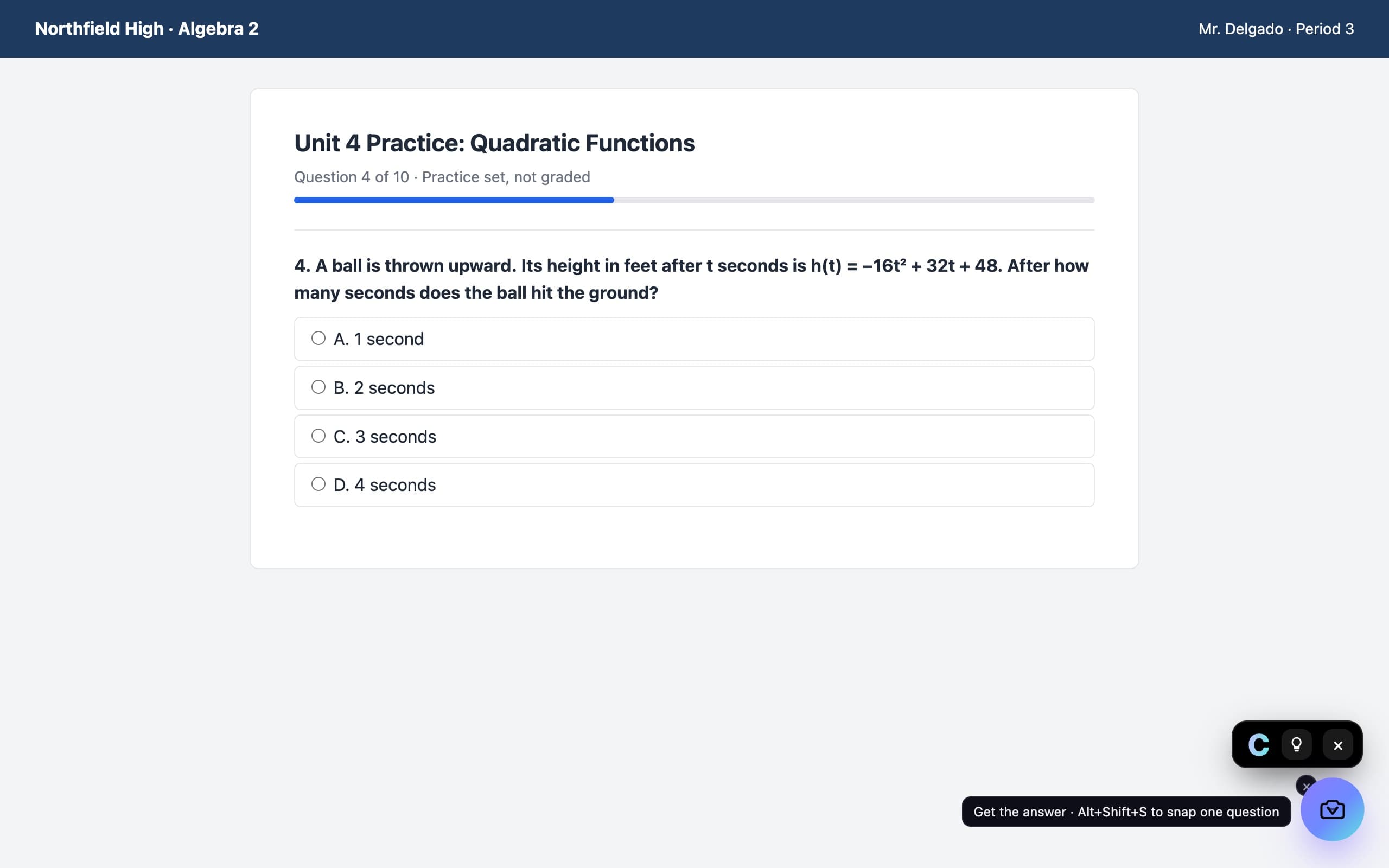
A camera in the corner of the page. Press it on a question and the answer appears in a small black chip, with every step behind the bulb.
Questions, answered
Can I solve a math problem from a screenshot for free?
Yes. VeilGPT's free plan includes 5 snaps a day, and you can snap the problem on the page or paste a screenshot you already have.
Does it work on PDFs?
Yes. Open the PDF in Chrome and press the camera, or drag a box around one problem.
Is there a screenshot math solver extension?
VeilGPT is one. It adds a camera button and a drag-to-snap shortcut to every page in Chrome.
VeilGPT is built for homework, practice and studying. Follow your school's and instructor's rules on AI use.