Math solver for PC
A math solver made for your laptop
Phone math apps need a photo of your screen. If your homework is already on your laptop, that's a lot of extra steps. VeilGPT solves the problem right where it is, in Chrome, with every step explained.
- Add to ChromeInstall VeilGPT on your PC, Mac or Chromebook and sign in.
- Snap on screenPress the camera on the page or drag a box around one problem.
- Follow the stepsTap the bulb for numbered steps and ask follow-ups in the sidebar.
Why students use VeilGPT
No phone needed
No pictures of your screen. VeilGPT reads the problem directly from the page.
PC, Mac and Chromebook
Anywhere Chrome or Edge runs, including school Chromebooks.
Beyond math
Chemistry, physics, statistics and more, in the same place.
Web chat too
Not on Chrome? Type or paste a problem at veilgpt.me/chat.
How it looks on the page
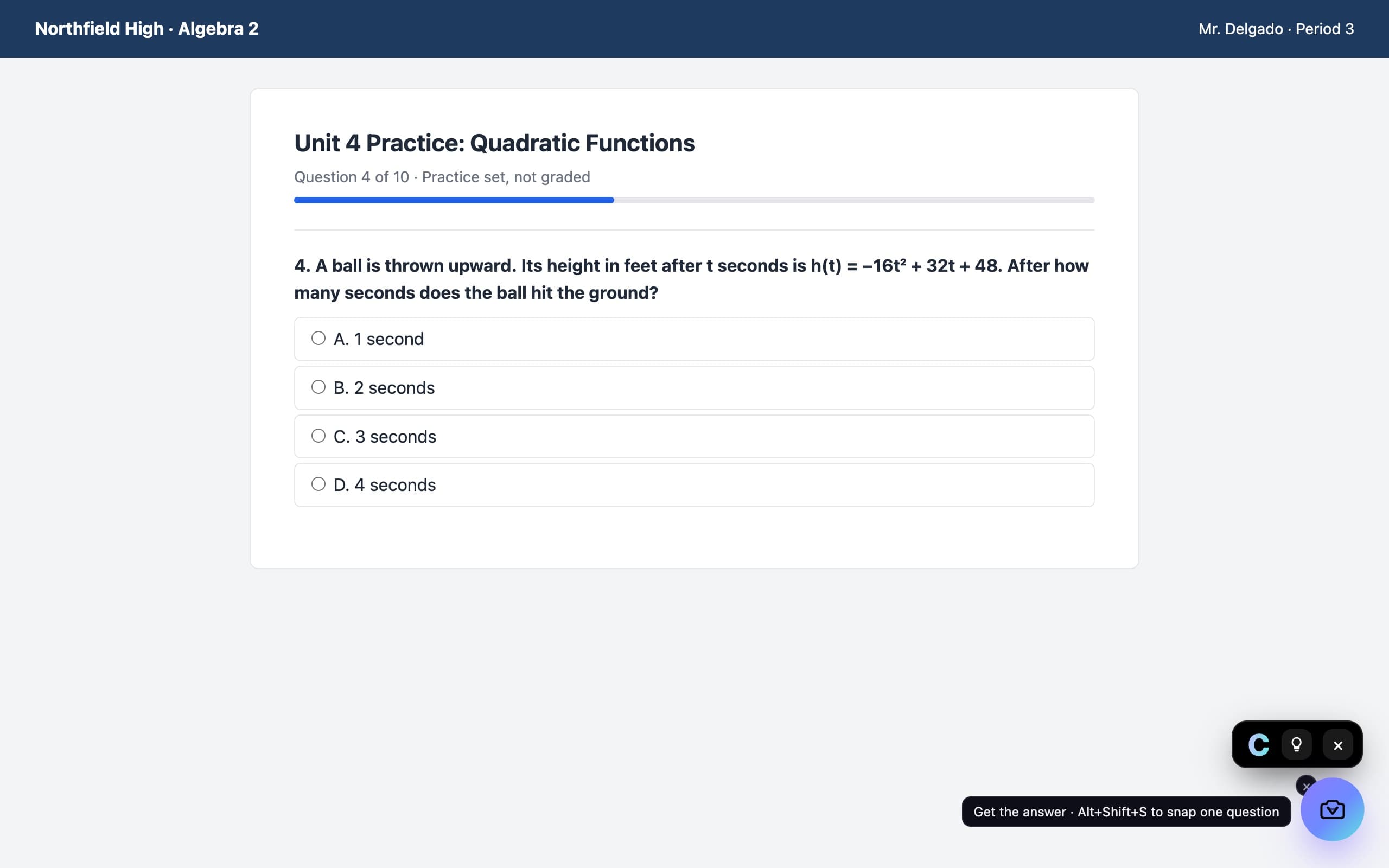
A camera in the corner of the page. Press it on a question and the answer appears in a small black chip, with every step behind the bulb.
Questions, answered
Is there a Photomath for PC?
Photomath is built mainly for phones. On a laptop, VeilGPT does the same job inside Chrome: snap the problem on screen and get step-by-step working.
Does it work on a Chromebook?
Yes. VeilGPT is a Chrome extension, so it works on Chromebooks, Windows PCs and Macs.
Is it free?
Yes, 5 snaps a day with a free account. Plus is unlimited.
VeilGPT is built for homework, practice and studying. Follow your school's and instructor's rules on AI use.